
secured by your presence.
Halo protects sensitive logins and merchant approvals with a trusted location bubble, your device and real-time confirmation—so access is really yours.


2FA Auth, Password Manager, My Halo and Activity—in one app.
Video coming soon
A guided look at Halo's location-aware 2FA, password manager pairing and real-time approvals is on the way.
One security system. Every digital asset.
Connect credentials, accounts and merchants, apply your trust rules, and review every decision from one private, easy-to-understand app.
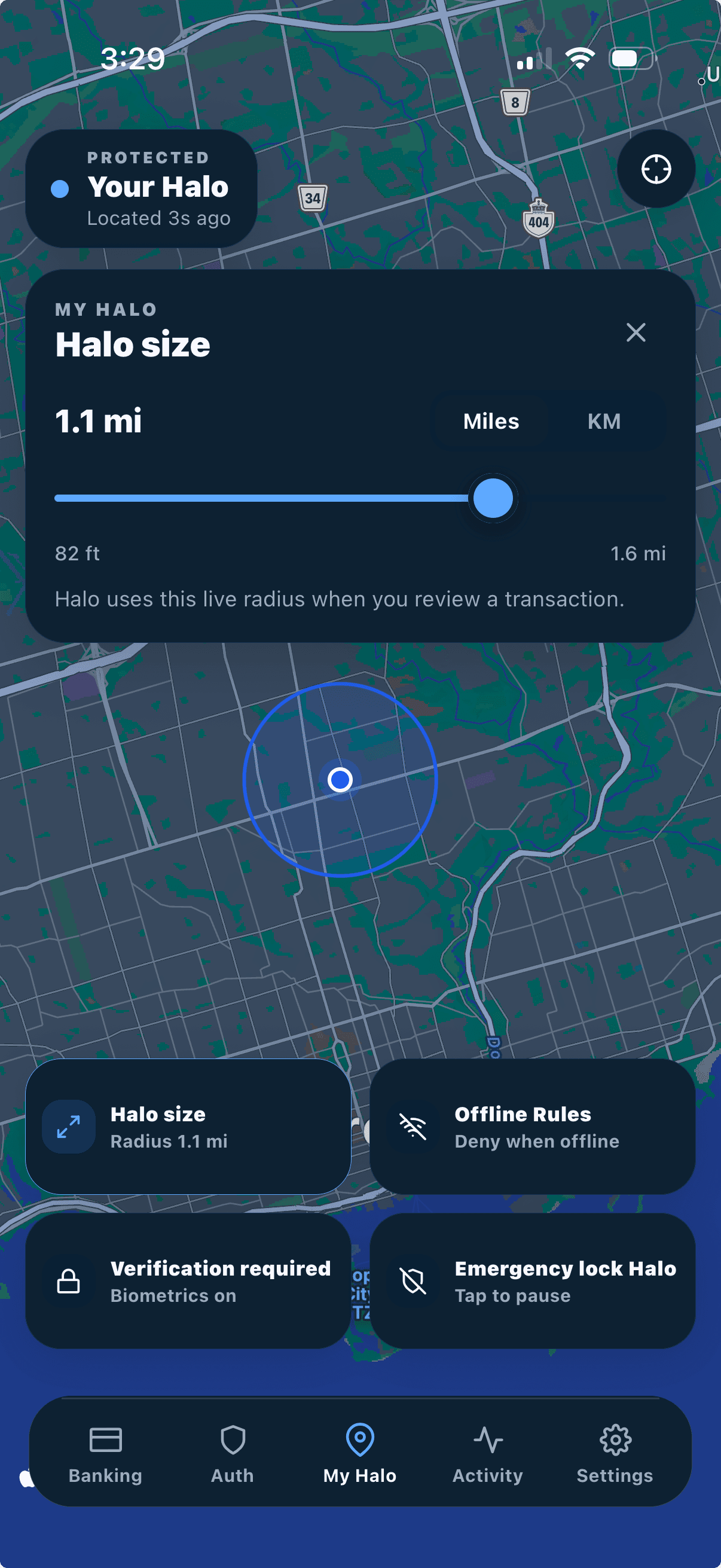
Set the trust boundary for sensitive actions.
Choose the live radius around home, work or wherever you trust. Halo evaluates that boundary only when one of your digital assets needs a security decision.
Connect the accounts and merchants you rely on.
Scan a merchant’s short-lived Bridge QR once. Each connected service can then ask Halo for an identity- and location-aware approval before sensitive activity goes through.
Authenticator
Connections
Arc Market
Approved · 2m ago
Cloudline
Protected · 18m ago
North & Finch
Outside Halo · Yesterday
Add a merchant
Scan the merchant’s one-time Bridge QR to start protecting that account.
See every security decision in one place.
Every check, approval, denial, timeout and trust decision lands in one timeline, giving you a clear record of how your digital assets are being protected.
Activity
Merchant checks, approvals, denials and trust decisions.
Arc Market
10:42Approved · merchant check · 42 m
North & Finch
09:18Action required · outside Halo
Cloudline
YesterdayDeclined · 8.4 km away
Transit Pass
YesterdayApproved · 120 m
Credentials protected by more than a master password.
Halo adds physical presence, a trusted device and biometric approval before revealing a saved credential or authorizing a connected app.
Beta release for Chrome and Chromium browsers. Manual installation is required.
Encrypted credential vault
Keep credentials private and available only when your access rules are satisfied.
Identity-aware approval
Confirm sensitive access with Face ID or your device biometric.
Presence-aware security
Choose how access behaves at home, work, school or while travelling.
Device trust controls
Stop unfamiliar devices from silently opening your connected accounts.


Credentials, secured by presence
Pair your Halo mobile app with our password manager
Pair your browser once. Halo secures your credentials as you sign in, then fills them only when your security rules approve access.
What ships today.
The consumer Halo app focuses on authentication and credential protection—not banking or paid memberships.
A security system, not a movement tracker.
Halo evaluates whether a trusted-location rule is met when a credential unlock, merchant check or connected-account request needs a decision. Precise coordinates are not retained as a movement history.
Presence-based protection without constant tracking.
Halo applies your rules only when a protected action needs a security decision.
What does Halo protect?
Merchant 2FA approvals, password-manager unlocks and connected-account requests that require your presence and device.
Does Halo track me all day?
No. Halo checks whether a trusted location rule is met when a password unlock, merchant check or app connection occurs—and only while the app is open for live location features.
What happens when I am offline?
Offline rules can use a limited trust window, available device signals and biometric confirmation.
Can I use Halo while travelling?
Yes. Adjust your Halo radius and offline behavior so protection stays useful without turning security off.
Is there a paid Halo+ plan in the app?
Not in the current consumer release. There is no in-app subscription. Download the free app for 2FA Auth, Password Manager, My Halo and Activity.
Put Halo around your digital life.
Download Halo for location-aware 2FA, password manager pairing and real-time approvals from one trusted phone.